
Most genealogists who take a DNA test encounter the same initial experience: a list of matches, each with a centimorgan value and a predicted relationship, stretching sometimes into the thousands. It is a rich resource and an overwhelming one. A chromosome browser doesn’t reduce that complexity, but it does something more valuable — it gives you a way to organize it, visualize it, and ultimately extract conclusions that the match list alone cannot support.
Understanding chromosome browsers is the next logical step after mastering the basics of autosomal DNA matching. If the match list tells you that you share DNA with someone, the chromosome browser begins to answer the harder question: where — and, eventually, why.
What a Chromosome Browser Actually Shows
A chromosome browser is a tool used to visualize the specific portion of a chromosome you share with your genetic match. Chromosome browsers typically display 22 chromosomes as horizontal lines with colored portions highlighting the shared segment between you and your match.
The visual is intuitive once you see it: twenty-two horizontal bars, one for each autosomal chromosome, with colored blocks indicating where you and a selected match share DNA. The longer and more numerous the colored blocks, the more DNA you share and the more recently — in genealogical terms — you likely share a common ancestor.
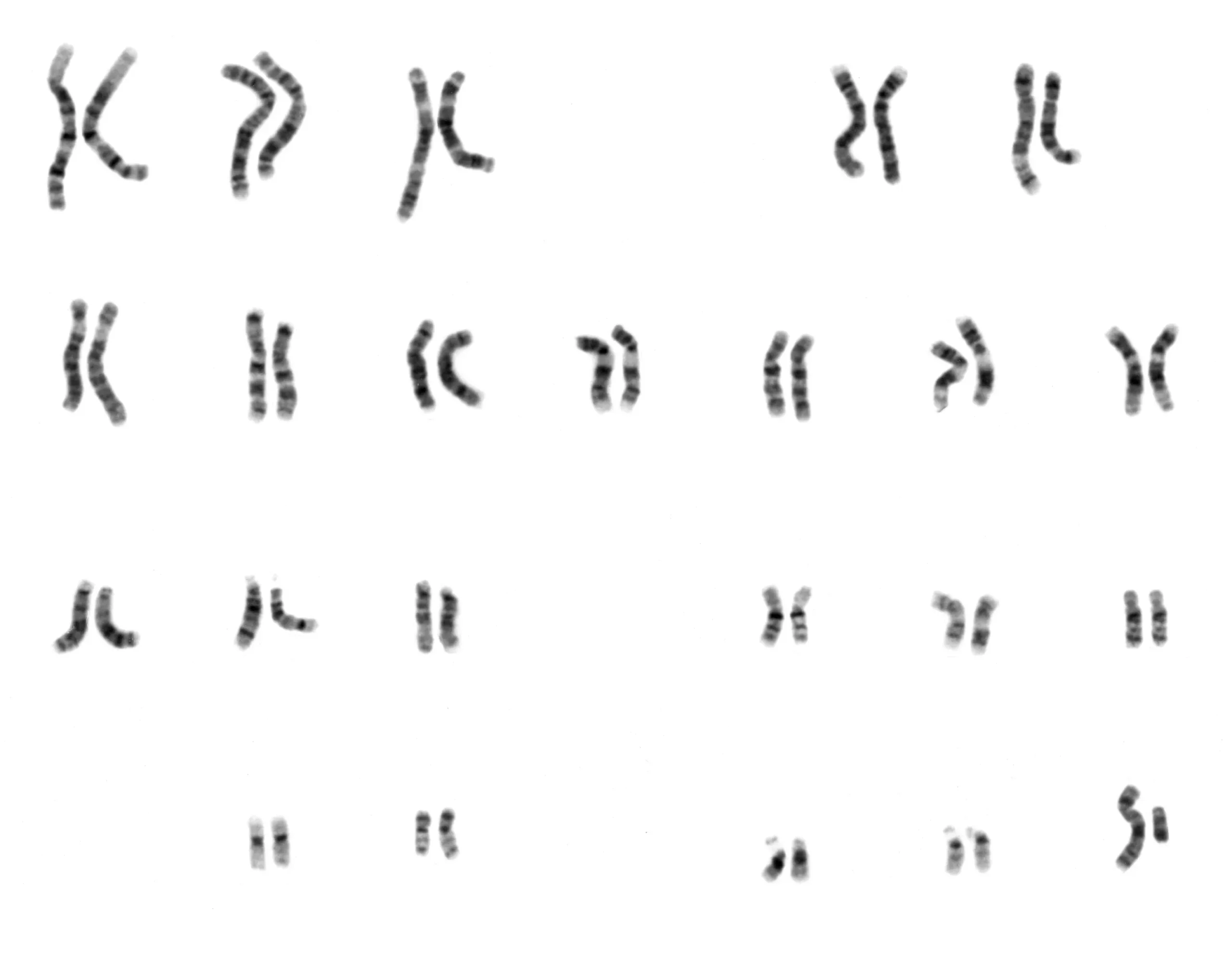
What the browser doesn’t immediately reveal, and what takes some practice to understand, is that each chromosome bar represents two copies of that chromosome: one inherited from your mother, one from your father. The chromosome browser cannot tell these maternal and paternal lines apart. A shared segment shown in the browser could therefore be on either the maternal or paternal copy — and determining which is a significant part of what chromosome browser analysis is actually for.
Beyond the visual display, most chromosome browsers expose the underlying segment data: start and end positions on the chromosome (measured in base pairs), the length of the shared segment in centimorgans, and the number of shared SNPs. This data can typically be downloaded as a spreadsheet, which opens the door to more systematic analysis than any browser visualization alone can support.
The Platforms That Offer Chromosome Browsers
Not all major DNA testing companies provide chromosome browser access, and this is one of the most practically significant differences between platforms for serious genealogical researchers.
FamilyTreeDNA was the first company to offer a chromosome browser to consumers and remains one of the most data-rich implementations. The Family Finder chromosome browser allows comparison with multiple matches simultaneously and provides full segment start/end data for download. However, the MyHeritage chromosome browser offers triangulation of segments, which FTDNA does not — a meaningful distinction discussed in more detail below.
MyHeritage provides a full chromosome browser with one capability that sets it apart from competitors: if you scroll to your Shared DNA Matches with any given match, you may see a mini chromosome browser icon indicating a triangulated segment. MyHeritage actively highlights these triangulated segments in the browser display, making the identification of confirmed shared ancestry considerably faster than manual analysis.
GEDmatch (covered separately in this series) is not a testing company but a third-party analysis platform where testers can upload raw DNA data from any company. Its chromosome browser is the most flexible available, allowing cross-platform comparison — comparing a result from AncestryDNA with one from FamilyTreeDNA, for example, which is otherwise impossible. GEDmatch’s “one-to-many” and “one-to-one” browser tools are central to advanced segment analysis.
AncestryDNA and 23andMe do not offer chromosome browsers to their users. This is one of the strongest practical arguments for uploading raw DNA data to FamilyTreeDNA, MyHeritage, or GEDmatch after testing at Ancestry — the matching database at Ancestry is the largest in the world, but without segment data and browser access, its analytical depth is constrained.
Segment Triangulation: The Core Technique
The most powerful use of a chromosome browser is segment triangulation — and understanding it is the key to unlocking what the browser can actually prove.
Triangulation creates a genetic triangle where Person A matches Person B, Person A matches Person C, and Person B matches Person C on overlapping chromosome locations, indicating a shared genetic heritage from a common ancestor.
In practice, triangulation works like this: you share a segment on chromosome 7 with Match B and also with Match C. You then check whether Match B and Match C share that same segment with each other. If they do, you have a triangulated group — three people who all share the same piece of DNA at the same location, inherited from the same common ancestor. Segment triangulation lets you group overlapping segments and identify your full segment from an ancestor, and places each triangulated segment where it belongs on one of your 46 chromosomes.
This matters because it allows you to make a specific genealogical claim: this segment, on this chromosome, came from a particular ancestral line. Over time, as you triangulate more segments with more matches at each generational remove, you can build a map of your chromosomes that attributes specific stretches of DNA to specific ancestors — a process called chromosome mapping or chromosome painting.
Triangulated segments can help you determine how your genetic matches are related to you. Compare DNA segments they have in common with you and other matches whose relationship is known; if they share with others in the same chromosomal location, you can determine which side of the family they are from.
The Important Caveat: What Triangulation Doesn’t Prove
Triangulation is powerful but not infallible, and understanding its limits is as important as understanding the technique itself.
A triangulated segment proves that three people share DNA from a common ancestor — but it does not, by itself, identify which ancestor. If your Dillman family has a German great-grandmother and a German great-grandfather from the same region, a triangulated segment on chromosome 4 might come from either of them, or from a more distant shared ancestor. The chromosome browser narrows the question; documentary genealogical research is still required to answer it.
There is also a phenomenon called identical by chance (IBC), in which two people share a segment that appears to be inherited from a common ancestor but is actually a coincidental alignment of DNA that produces a false match. IBC is more common in small segments — generally those under 7 centimorgans — which is why most serious analysts set a minimum threshold before treating a shared segment as genealogically meaningful.
Practical Steps for Getting Started
The most effective way to begin with a chromosome browser is to start with matches whose relationship you already know — a first cousin, a known second cousin, a sibling. Become familiar with appropriate segment lengths for known relationships, identify your immediately adjacent segments, find triangulated segments, and form triangulated groups of matches.
Once you understand what a known relationship looks like in the browser — how many segments, how large, on which chromosomes — you have a baseline for evaluating unknown matches. A match sharing a single 45-cM segment on chromosome 12 will fit into a pattern you’ve already seen with your known third cousins. A match sharing 12 small segments scattered across nine chromosomes tells a different story.
From there, the process is iterative: identify shared matches, compare their segments in the browser, look for triangulated groups, and connect those groups to specific ancestral lines through documentary research.
For Dillman Researchers
The complexity of Dillman surname research — multiple unrelated families sharing the same name and regional origins across the German-speaking world — makes chromosome browsers particularly valuable. Two Dillman descendants who share a segment can, through triangulation, potentially confirm that their shared DNA comes from a specific family group rather than from the general German genetic background.
The DFA’s DNA Project on FamilyTreeDNA provides a framework for exactly this kind of collaborative analysis. Members who have taken autosomal tests and uploaded their results are encouraged to explore shared segments with other project participants — and to bring their findings back to the project for collective interpretation.
For those who have tested only at AncestryDNA, uploading raw DNA data to FamilyTreeDNA (for a modest fee) or to MyHeritage and GEDmatch (free or low cost) opens up the chromosome browser analysis described in this article without requiring a new test.
Sources
FamilyTreeDNA. “Chromosome Browser.” FamilyTreeDNA. Accessed July 2026. familytreedna.com.
Kanalley, Craig. “Chromosome Browser.” MyHeritage Wiki. May 29, 2024. myheritage.com/wiki/Chromosome_browser.
MyHeritage. “How to Use Chromosome Browsers to Find Genealogy Clues.” MyHeritage Education. January 13, 2025. education.myheritage.com.
Segment Ology. “Segment Triangulation Insight.” May 25, 2025. segmentology.org.
National Human Genome Research Institute. “Human Male Karyotype.” Wikimedia Commons. Public domain (work of the United States federal government). commons.wikimedia.org. Featured image.
Note: This post was researched and written with the assistance of artificial intelligence (AI). All content has been reviewed for accuracy as of July 2026. All errors are the responsibility of the author.
Discover more from Dillman Family Association
Subscribe to get the latest posts sent to your email.